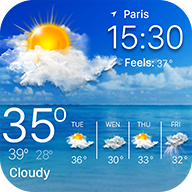
Weather forecast

smart-pro android apps · See upcoming temperature, humidity, wind speed, and wind direction in Weather Forecast.

Native Android Weather smart-pro android apps
Bundle ID com.graph.weather.forecast.channel
Version analyzed 82.01
Build framework Native Android
SDKs detected 4
Analyzed 2026-10-03
Exploratory agent run

What Weather forecast does

This mobile application is a weather forecasting utility designed to provide real-time meteorological data and localized atmospheric monitoring. It aggregates data points such as temperature, wind speed, and precipitation probability to deliver hourly and daily forecasts. The application features system-level integration, allowing weather updates to be displayed via the status bar, notifications, and a dedicated lock screen interface. Users can manage multiple geographic locations through manual search or automated GPS-based detection.

Observed on screen

  • Real-time Meteorological Monitoring Displays current atmospheric conditions, including temperature, humidity levels, and daily thermal extremes.
  • Hourly Forecast Visualization Provides a granular timeline of weather transitions and precipitation probabilities to assist in short-term planning.
  • Geographic Location Management Supports both manual city entry and automated geolocation services to provide localized weather data.
  • System Integration Services Enables persistent weather reporting through the device status bar, system notifications, and a custom lock screen overlay.
  • Unit and Format Configuration Allows for the customization of measurement scales for temperature, wind speed, and temporal display formats.

Written from a FlyTrap agent exploring the app on a real device, not from the store listing. It covers only the screens that run reached, so anything behind a login, paywall or region lock is absent.

Static + runtime analysis

SDKs detected

4 SDKs found across 4 categories. Click any SDK to see every other app that uses it.

All SDKs
Authentication 1 SDK
Crash Reporting 1 SDK
From manifest + Info.plist

Permissions requested 3 sensitive

16 permissions requested at runtime. Colors reflect platform sensitivity tier.

Read phone state sensitive

Read phone state, network info, and the device's phone number.

Approximate location sensitive

Access approximate location (network-based).

Precise location sensitive

Access exact location via GPS, cell, and Wi-Fi.

Disable keyguard standard

Disable the keyguard if it is not secure.

Internet access standard

Open network sockets.

Network state standard

Read connectivity information.

Wake lock standard

Keep the device awake.

Run at startup standard

Receive the BOOT_COMPLETED broadcast.

Display over other apps standard

Draw windows on top of other apps. Granted from system settings.

Vibrate standard

Control the vibrator.

Foreground service standard

Run a foreground service.

Change Wi-Fi state standard

Change Wi-Fi connectivity state.

Wi-Fi state standard

Read Wi-Fi connection information.

In-app billing standard

Use Google Play Billing for in-app purchases and subscriptions.

com.google.android.gms.permission.AD ID standard
com.google.android.finsky.permission.BIND GET INSTALL REFERRER SERVICE standard

Frequently asked questions

What FlyTrap detected inside Weather forecast.

What does Weather forecast do?

This mobile application is a weather forecasting utility designed to provide real-time meteorological data and localized atmospheric monitoring. It aggregates data points such as temperature, wind speed, and precipitation probability to deliver hourly and daily forecasts. The application features system-level integration, allowing weather updates to be displayed via the status bar, notifications, and a dedicated lock screen interface. Users can manage multiple geographic locations through manual search or automated GPS-based detection. This comes from a FlyTrap agent exploring the app on a real device, so it covers only the screens that run reached.

What is Weather forecast built with?

Weather forecast by smart-pro android apps is built with Native Android. FlyTrap determined this by analyzing the app's compiled binary, not from anything the developer published.

What SDKs does Weather forecast use?

FlyTrap detected 4 third-party SDKs inside Weather forecast, including Firebase Analytics, Google AdMob and Firebase Crashlytics. They span areas such as Analytics, Ads, Crash Reporting and Authentication. The full list, grouped by category, is on this page.

What permissions does Weather forecast request?

Weather forecast requests 16 permissions. 3 of these are sensitive, such as Read phone state, Approximate location and Precise location. Each is listed above with its platform sensitivity tier.

Is Weather forecast safe to use?

FlyTrap reports what an app contains, it does not issue a safety verdict. Weather forecast requests 16 permissions (3 sensitive) and bundles 4 third-party SDKs. Reviewing those alongside the developer helps you decide what you are comfortable granting.

What platforms is Weather forecast available on?

The version FlyTrap analyzed targets Android.